Rick's Daily Tips

Your daily dose of practical, easy to follow tech tips!

  • Home
  • Rick’s Bio
  • Advertise
  • Privacy Policy
  • Rick’s Tip Jar
  • Get My Tech Tips Newsletter
  • Recommended Tech Gear
  • Contact Me

Q&A: How do you change the default browser on a Mac?

Posted on June 25, 2022

Question from Camilla:  I’ve always owned Windows computers but my daughter talked me into trying a MacBook after my years-old Toshiba laptop died a few weeks ago.

I tried using Safari for several days but I just can’t get used it it.

I finally broke down and installed Firefox because I’ve used it for years and I’m just more comfortable with it.

Anyway, the links I click always open in Safari but I want them to open in Firefox instead.

How do I make Firefox the default web browser on my new MacBook?

[Read more…]

7 effective ways to stop your MacBook from overheating

Posted on May 2, 2022

MacBooks are powerful devices, but their slim chassis can often lead to overheating issues.
There are some ways to mitigate this from a hardware perspective, but there’s also some cleaning up you can do in regards to files and storage as well.

Here are seven things you can do to stop your MacBook from over-heating:  [Read more…]

Own a newer MacBook Pro? If so, you probably need this.

Posted on November 17, 2021

Note: The links in this post are affiliate links.

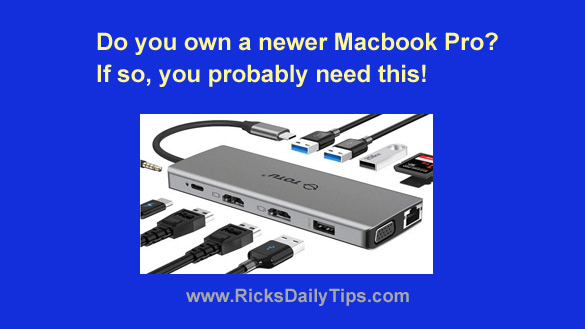
Do you own a newer MacBook or other device that has just a single USB-C type USB port? If so, I have a recommendation for you.

This awesome USB-C Hub Multiport Adapter will add two USB 3.0 ports, two USB 2.0 ports and a plethora of other useful ports to your MacBook or other USB-C device!

[Read more…]

How to add your hand-written signature to a document on your Mac

Posted on July 29, 2021

Click here to sign up for my free Rick’s Tech Tips Newsletter!


Do you ever receive electronic documents that you need to sign and then return to the original sender?

If so, you know what a hassle that can be at times.

The way most people do it is to first print the document and then sign it and scan it back into the computer so they can send it back to the person that sent it to them.

Well, if you have a Mac desktop computer or a MacBook there’s a much easier way. Just follow the steps below:  [Read more…]

Q&A: How do you erase an external hard drive with a Mac?

Posted on March 24, 2021

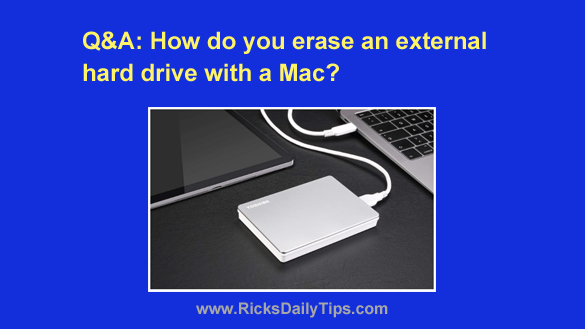
Question from Alan:  I bought a new 4TB external hard drive to hold my photos.

I bought the new drive because the 1TB drive I’ve been using to store my photos is full and I have a lot more pictures to scan and store.

My plan is to give the 1TB drive to my niece so she can use it with her iMac, but I want to completely erase everything from the drive before I give it to her.

That way she can start fresh with a blank drive.

Can you tell me how to completely erase this drive with my MacBook?

Rick’s answer:  [Read more…]

  • « Previous Page
  • 1
  • 2
  • 3
  • 4
  • 5
  • Next Page »

– Ad –
 
Zobirez 10-port 750W USB Fast Charging Station for Multiple Devices

This will charge up to 10 devices (including a laptop) at the same time.

Click here to check it out at Amazon.


Popular…

Miss one of my Daily Gadget Picks? Check here.

How do I ask you a tech question?

Step-by-step guide to completely ridding your PC of viruses and other malware

10 reasons why I recommend buying tech gear from Amazon

How to accurately evaluate product reviews on Amazon


Advertise

Guest Post Guidelines

Want to ask me a tech question?

Recommended Tech Gear

Privacy Policy

Computer Tips
Smartphone Tips
Blogging Tips

Tech Q & A
Reviews
Tech News

Write for RicksDailyTips.com

Scam alerts
Downloads

Copyright © 2026 RicksDailyTips.com

Affiliate Disclaimer


Rick's Daily Tips is hosted by InMotion Hosting. Click here to find out why.

This blog uses cookies to ensure that you receive the best experience on my website. Please click 'Accept Cookies' to continue.